Classroom Toolkit
Sign in with your teacher licence email to unlock the worksheet builder, homework setter, and class analytics.
Classroom Toolkit
Lesson-time shortcuts — pick one to get started
All four below take one click. The rest of the site (courses, resources, AI tools) is up in the nav whenever you want to browse.
🚀 Get your class up and running in 3 minutes ▾
Follow the three steps below to add classes and students. Everything else on this page — worksheets, homework, live games, activities, analytics — starts working the moment your first student signs in.
Give it a name (e.g. Y12 SL AI Set 1) and pick the seat count. You'll get a 6-character class code straight away.
Open class creator → 📥 Bulk pastePaste a whole roster from Excel, Google Sheets or your MIS — we add every email in one click and auto-email each student a sign-in link. Or add one at a time from the class card.
Open bulk import →Each student we add auto-receives a welcome email with a one-click sign-in link. Prefer to brief them in person? Show them the shared initial password below.
See sign-in details ↓🔑 Initial password (all students):
IBMathRevision
— students are forced to pick their own the first time they sign in.
🌐 Sign-in URL:
ibmathrevision.com
— students click Sign in at the top-right of any page. No separate signup step.
📧 Welcome email: auto-sent to every student the moment they're added to a class. If it bounces or the student never activates, use the ✉ button on their row to resend the sign-in link.
📥 Bulk import (teachers): use the "Paste a roster" flow above ↑ — up to 200 emails per class in one click.
Need more? Read the Add students FAQ, watch a two-minute overview on Schools, or email pbromfield@ibmathrevision.com for hands-on onboarding.
Build a PDF worksheet
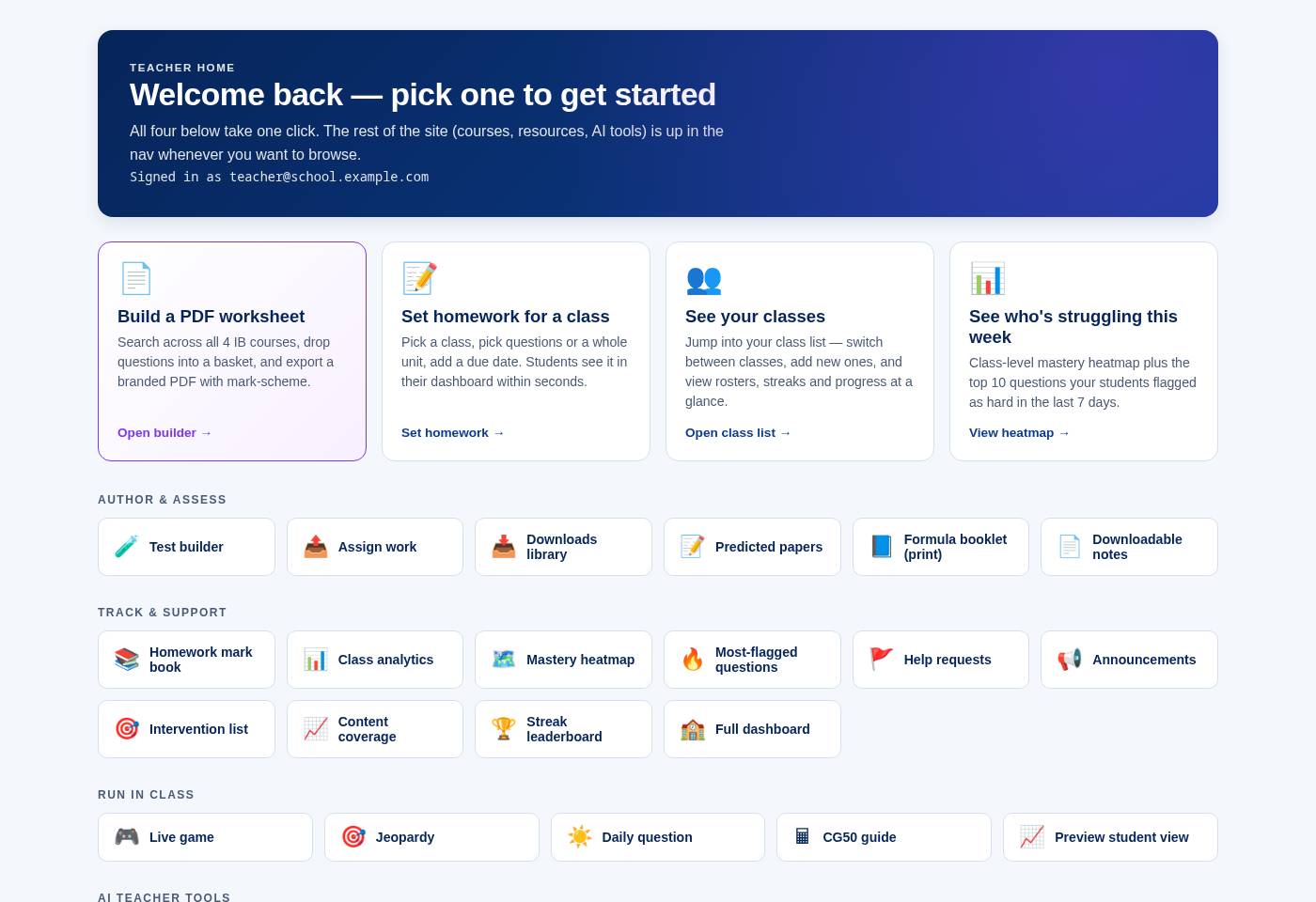
Search across all 4 IB courses, drop questions into a basket, and export a branded PDF with mark-scheme.
Set homework for a class
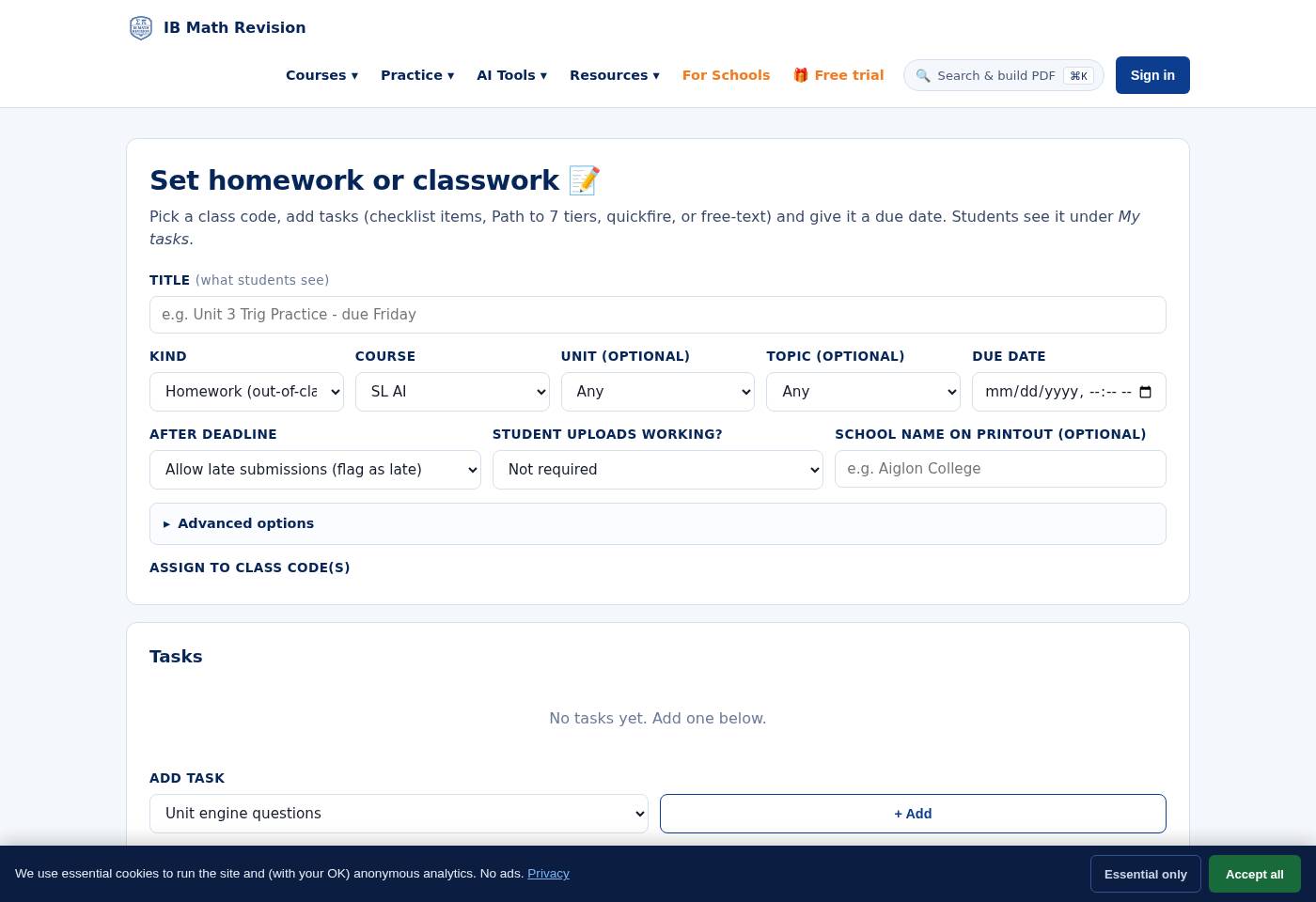
Pick a class, pick questions or a whole unit, add a due date. Students see it in their dashboard within seconds.
See your classes
Jump into your class list — switch between classes, add new ones, and view rosters, streaks and progress at a glance.
See who's struggling this week
Class-level mastery heatmap plus the top 10 questions your students flagged as hard in the last 7 days.
🎲 Classroom activities Open the generator — print or send to class in one click All 17 modes →
Author & assess
Track & support
Run in class
AI teacher tools
Admin & account
Owner-only tools 🔑
FAQ & how-to
📄 How do I build a PDF worksheet?
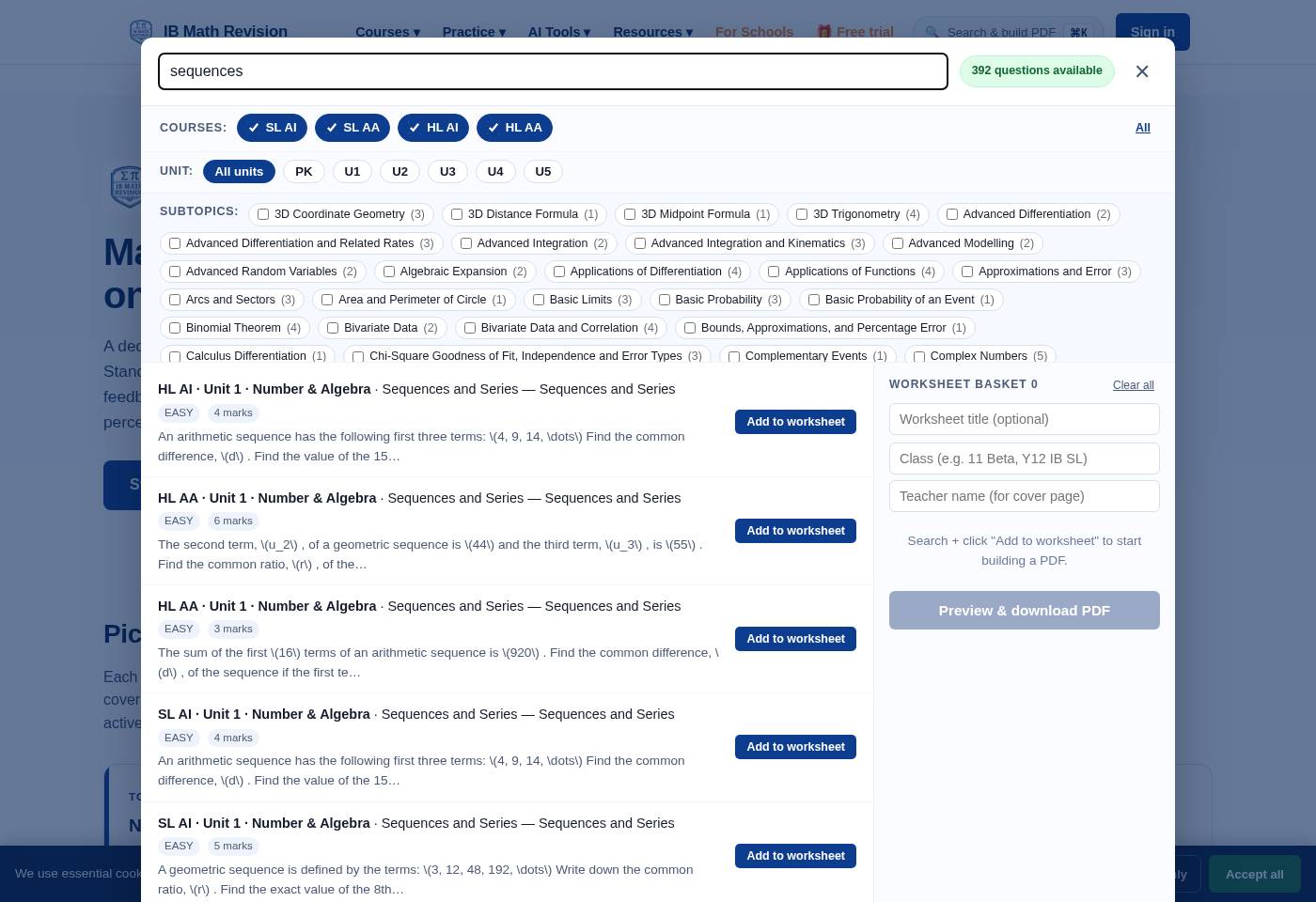
Click the purple "Build a PDF worksheet" card above (or press ⌘K / Ctrl+K from any page). Search across all 4 IB courses, drop questions into your basket, then hit "Preview & download PDF". The pill in the modal header shows how many questions you can pick from — if it's red, your licence isn't fully unlocked (contact support).
New (Feb 2026): tick a specific Unit at the top of the modal (PK / U1…U5), then tick one or more Subtopics underneath. The subtopic row is scrollable when a unit has lots of them — e.g. Unit 1 SL AI shows Financial Mathematics, Sequences & Series, Percentage Change, etc. Search still narrows further inside your ticked filters.
🎯 How do the Unit → Subtopic filters work?
Both the Worksheet Builder (⌘K) and the Classroom Activities generator (/activities.html) now use a two-step drill-down: pick your unit first, then tick the subtopics you want. In the Worksheet Builder the Subtopic row is scrollable (drag with a two-finger swipe on trackpad) so you can browse every subtopic in a busy unit like Unit 2. Clear-all button at the far right of each row resets your ticks.
Great for building “just quadratics” or “just financial maths” worksheets in seconds.
📝 How do I set homework?
Head to /assign.html. Pick a class, then pick either a set of questions from a topic OR a whole unit. Add a due date. Students see it on their dashboard within 60 seconds and get a Resend email the next morning if they haven't opened it.
You can also assign the same worksheet you just built via "Send to class" in the worksheet-builder modal, or push any Classroom Activity to your class via Activities → Send to class.
📊 How do I see who's struggling?
Two views. The Mastery heatmap shows every student vs every topic, red-to-green. The Most-flagged questions list shows what students clicked "I got this wrong" on in the last 7 days — a great pool for next lesson's do-now. Both live inside the Track & support tile row above.
👨🎓 How do I add students to my class?
Open Full dashboard → find the class section → click "Invite students". You'll get a class-specific join link; share it via email/LMS. Alternatively bulk-add via CSV in Provision users (owner-only).
Initial password: everyone we provision (both students and teachers) is seeded with the shared initial password IBMathRevision and is forced to change it on their first sign-in via /change-password.html. The sign-in modal now leads with this — there's no separate “activate” or “first-time signup” step. They just sign in with the shared password and are walked through picking their own.
👀 Can I see what students see?
Yes — click the Preview student view tile above. It renders the student dashboard as if you were a student on your school's licence.
Feb 2026 refresh: the signed-in Student Home is now a single, focused screen — a big “Continue Path to 7” card, today’s study plan, the daily question, a homework-streak strip up top, then the course rail. All the other tools (practice, past papers, AI, community) collapse into a “More tools” drawer so students aren’t drowning in tiles the moment they sign in. Signed-in students are also redirected straight to this home from any marketing page.
🎬 What are the on-demand video solutions?
Every SL AA Unit 1 question has a "🎬 Video solution" button. Paid users trigger a Manim-animated worked solution on demand (renders in ~90s and caches forever). Currently rolling out to more units — check /health.html for status.
🧠 How does AI IA feedback work?
Upload your student's IA PDF — Gemini marks it against the current IB criteria (A/B/C/D/E) with a per-criterion score and line-referenced comments. Turnaround: 20-40s. Great for early drafts; final grading should still be human.
🎮 How does the live in-class game work?
Open /game-host.html to host, project the room code, students join at /game-play.html on their phones. Pick a topic and difficulty. Live buzz-in with a scoreboard; wipe-out mode is available for exam-week revision. Great for lesson starters — 6-8 mins.
🎲 What's the Classroom Activities generator?
Open /activities.html to spin up 17 different lesson-ready formats from any (course, unit, subtopic) combo — Treasure Hunt, Maths Café, Wipeout, Confidence MCQ, Peer Review and more. Print for card-sorts on paper or push straight to your class as a digital homework via “Send to class”.
Use the new Subtopic filter (row 2b) to narrow to just the section you're teaching this week.
📰 Where do the blog articles come from?
Mon/Thu 09:00 UTC an automated cron picks a topic and generates a blog article via Gemini 2.5. Owners can see the last 5 runs on /health.html or right on the dashboard.
📥 Bulk import students
Paste one email per line (or comma-separated). Copies straight from Excel, Google Sheets or your MIS. Every added student is auto-emailed a one-click sign-in link.
email, first_name, class_code
🎲 Send activity to a class
One click — students see it in their assignment dashboard.
Students see it in their dashboard within seconds.