Free IB Maths AI HL lesson: Real interest vs nominal / inflation
A ready-to-teach IB Maths AI HL lesson on Real interest vs nominal / inflation (Unit 1 · Number & Algebra): editable slides and teacher notes, free; a printable worksheet in 3 levels with answers for school plans. About 55 minutes.
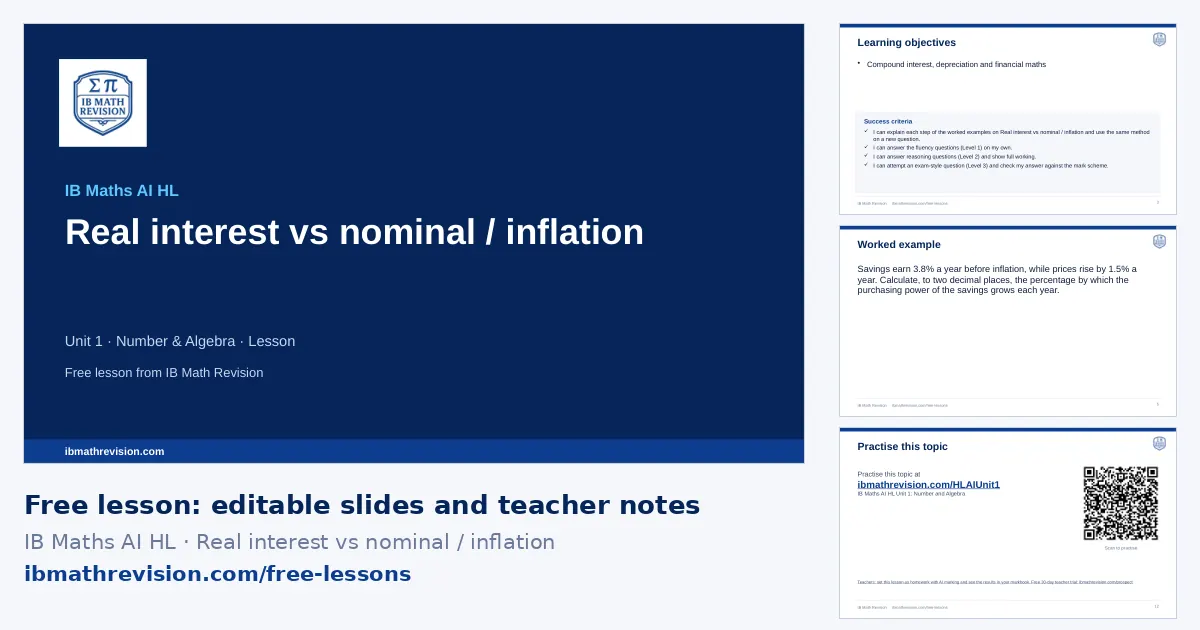
Free with a teacher account. Sign in with Google, Microsoft or email and download the slides and teacher notes.
What's inside
- Slides (PowerPoint, editable) · freeabout 12 slides: do now, objectives, key ideas, a worked example step by step, “your turn”, practice QR code, exit ticket
- Teacher notes (PDF) · freelesson plan with timings, common mistakes, homework links
- Worksheet (PDF) · school plans6 questions, 24 marks: Fluency, Reasoning, Exam-style. Included with school plans and the teacher trial.
- Answers (PDF) · school plansthe answer to every worksheet question, from its mark scheme. Included with school plans and the teacher trial.
Learning objectives
- Compound interest, depreciation and financial maths
Key ideas on the slides
- Compound interest: FV = PV(1 + r/100k)ᵏⁿ, where k is the number of compounding periods per year and n is the number of years.
- Depreciation by r% a year: value = PV(1 − r/100)ⁿ.
- On the TVM solver: N (total periods), I% (annual rate), PV, PMT, FV, P/Y and C/Y; money paid out and money received have opposite signs.
- Inflation: the real value of money falls; a real interest rate is roughly the nominal rate minus the inflation rate.
By the end of the lesson, students should be able to answer a question like: Find the real interest rate if nominal is 6% and inflation 2%.
Key vocabulary
- principal (PV): The amount first invested or borrowed.
- compounding period: How often interest is added (yearly, quarterly, monthly).
- depreciation: A loss in value over time.
- inflation: A general rise in prices, so money buys less.
Common mistakes this lesson tackles
- Finance on the GDC: signs, months vs years, P/Y and C/Y, and the rounding asked for. List every TVM entry (N, I%, PV, PMT, FV, P/Y, C/Y). Money out and money in have opposite signs. N = years × payments per year. Round the final answer as the question says.
- Using the annual rate for each month without dividing by 12.
- Giving PV and FV the same sign on the TVM solver.
- Rounding to 3 significant figures when the question asks for the nearest cent.
Calculator tips
- TVM solver: N = 60, I% = 4.2, PV = −8000, PMT = 0, P/Y = C/Y = 12, then solve for FV.
Lesson plan
| 0–5 min | Do now: students write down what they remember about Amortisation & annuities and Simple & compound interest |
| 5–8 min | Share the learning objective and success criteria |
| 8–20 min | Teach: the worked example, step by step; students copy the method |
| 20–25 min | Your turn: 1 mini-whiteboard question; check every board before moving on |
| 25–42 min | Practise: the worksheet (6 questions in 3 levels, with school plans and the teacher trial) or the topic's practice questions online; move up a level after two right in a row |
| 42–47 min | Plenary: 1-question exit ticket; collect it to plan the next lesson |
For students: practise this topic
The worksheet's QR code opens the IB Maths AI HL Unit 1: Number and Algebra practice questions.
What schools get
- Set this lesson as homework, marked by AI against the mark scheme, with every result in your markbook (with a School plan).
- This lesson's worksheet in three levels, with its answers, ready to print.
- Support, Core and Stretch versions and A/B copies of the worksheet from the full question bank, in the worksheet builder.
- Create lesson: this lesson rebuilt for your class's next scheme-of-work lesson, from the full bank.
School licences from €490 a year. Try everything free for 30 days as a teacher: no card.
Questions teachers ask
Is this lesson free?
The slides and the teacher notes are free to download with a free IB Math Revision teacher account (sign in with Google, Microsoft or email); no card. The printable worksheet in three levels and its answers are included with school plans and the free 30-day teacher trial.
Can I edit the slides?
Yes. The slides are an ordinary PowerPoint file: change, add or delete anything. They also open in Google Slides and Keynote. The logo and web address sit on the slide master, so your edits do not move them.
What do students use for homework?
The practice slide's QR code and web address take students to the IB Maths AI HL Unit 1: Number and Algebra practice questions on ibmathrevision.com, where the free questions are open and the full bank comes with a plan.