Free IB Maths AA SL and AI SL lesson: Rearranging formulae
A ready-to-teach IB Maths AA SL and AI SL lesson on Rearranging formulae: editable slides and teacher notes, free; a printable worksheet in 3 levels with answers for school plans. About 55 minutes.
Free with a teacher account. Sign in with Google, Microsoft or email and download the slides and teacher notes.
One lesson for AA SL and AI SL
Rearranging formulae is taught in IB Maths AA SL and IB Maths AI SL, with the same key ideas. Choose your course above the download button: each version's slides use that course's own worked example, questions and practice link.
- AA SL (Unit 0 · Prior knowledge)
- AI SL (Unit 0 · Prior knowledge)
What's inside
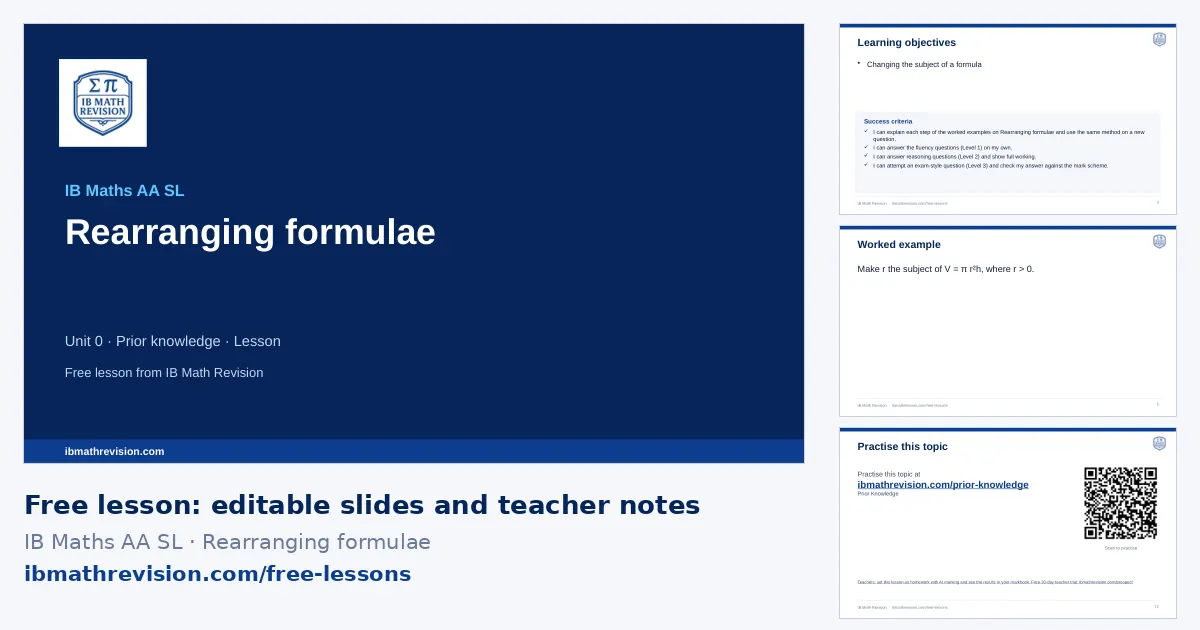
- Slides (PowerPoint, editable) · freeabout 12 slides: do now, objectives, key ideas, a worked example step by step, “your turn”, practice QR code, exit ticket
- Teacher notes (PDF) · freelesson plan with timings, common mistakes, homework links
- Worksheet (PDF) · school plans6 questions, 14 marks: Fluency, Reasoning, Exam-style. Included with school plans and the teacher trial.
- Answers (PDF) · school plansthe answer to every worksheet question, from its mark scheme. Included with school plans and the teacher trial.
Learning objectives
- Changing the subject of a formula
Key ideas on the slides
- Treat the formula like an equation: undo the operations on the new subject in reverse order, doing the same to both sides.
- Powers and roots: square to undo a square root, square-root to undo a square (with ± when both signs make sense): A = π r² ⇒ r = √(A/π).
- Subject twice: expand, collect every term with the subject on one side, factorise it out, then divide: ax + b = cx + d ⇒ x(a − c) = d − b ⇒ x = (d − b)/(a − c).
- Clear fractions first by multiplying both sides by the denominator.
By the end of the lesson, students should be able to answer a question like: Make r the subject of A = πr².
Key vocabulary
- subject: The letter on its own on one side of a formula.
- rearrange: Rewrite a formula with a different letter as the subject.
- factorise out: Take a common factor (here the new subject) outside a bracket.
Common mistakes this lesson tackles
- Dividing by only part of one side.
- Leaving the new subject on both sides of the formula.
- Taking the square root of each term separately: √(a² + b²) ≠ a + b.
Calculator tips
- Check by substituting numbers into the original and rearranged formulae.
Lesson plan
| 0–5 min | Do now: students write down what they remember about Solving linear equations & inequalities and Expanding brackets & factorising |
| 5–8 min | Share the learning objective and success criteria |
| 8–20 min | Teach: the worked example, step by step; students copy the method |
| 20–25 min | Your turn: 1 mini-whiteboard question; check every board before moving on |
| 25–42 min | Practise: the worksheet (6 questions in 3 levels, with school plans and the teacher trial) or the topic's practice questions online; move up a level after two right in a row |
| 42–47 min | Plenary: 1-question exit ticket; collect it to plan the next lesson |
For students: practise this topic
The worksheet's QR code opens your course's practice questions:
What schools get
- Set this lesson as homework, marked by AI against the mark scheme, with every result in your markbook (with a School plan).
- This lesson's worksheet in three levels, with its answers, ready to print.
- Support, Core and Stretch versions and A/B copies of the worksheet from the full question bank, in the worksheet builder.
- Create lesson: this lesson rebuilt for your class's next scheme-of-work lesson, from the full bank.
School licences from €490 a year. Try everything free for 30 days as a teacher: no card.
Questions teachers ask
Is this lesson free?
The slides and the teacher notes are free to download with a free IB Math Revision teacher account (sign in with Google, Microsoft or email); no card. The printable worksheet in three levels and its answers are included with school plans and the free 30-day teacher trial.
Can I edit the slides?
Yes. The slides are an ordinary PowerPoint file: change, add or delete anything. They also open in Google Slides and Keynote. The logo and web address sit on the slide master, so your edits do not move them.
What do students use for homework?
The practice slide's QR code and web address take students to the Prior Knowledge practice questions on ibmathrevision.com, where the free questions are open and the full bank comes with a plan.